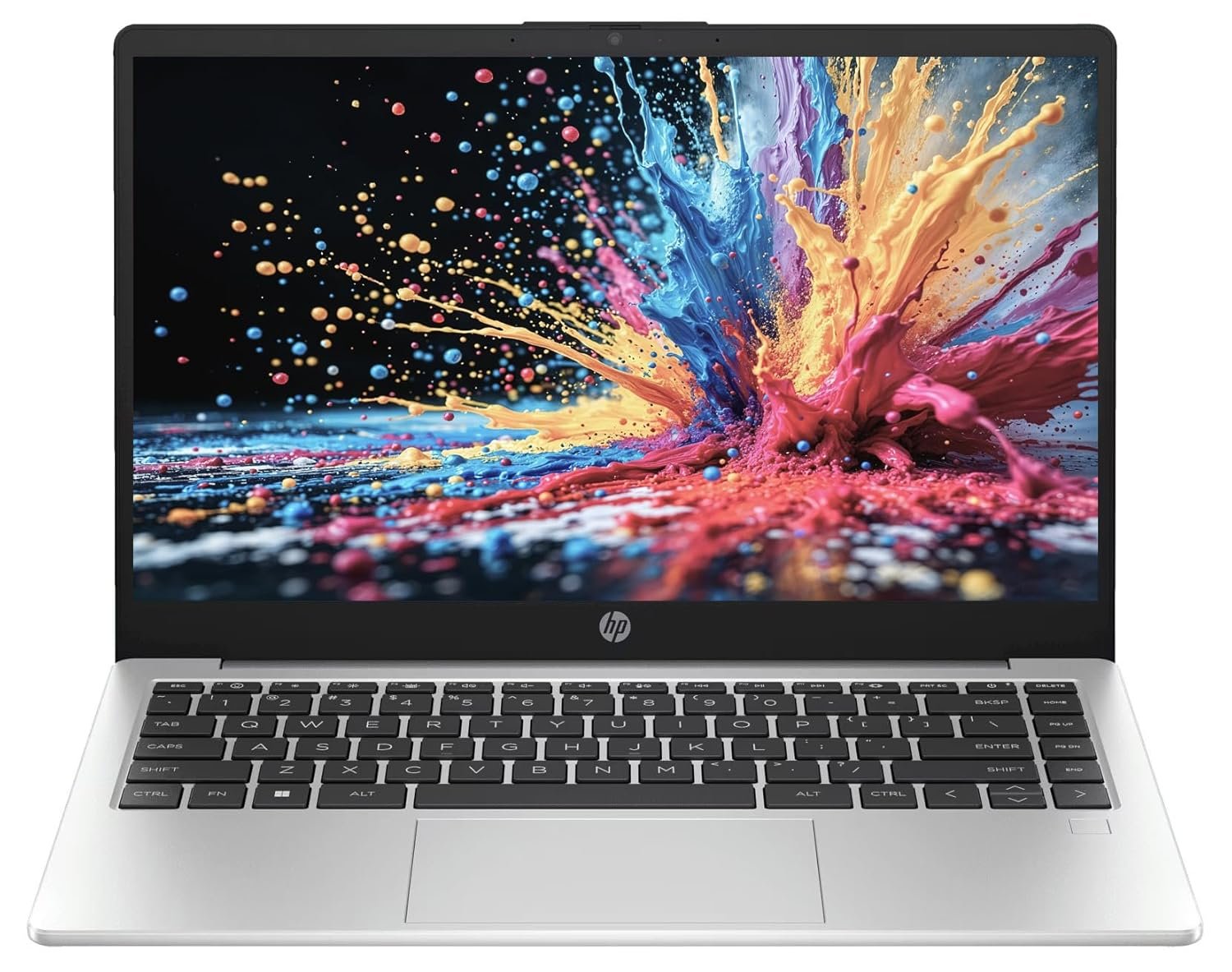
If you are looking for a compact and professional laptop for office work, business, studies, browsing, online meetings, and everyday productivity, the HP Professional 14 is a model worth considering.
This 14-inch HP laptop combines an Intel 14th-generation processor, SSD storage, a compact design, a backlit keyboard, and fingerprint security. The configuration listed for this model includes an Intel Core 5 120U processor, 8GB RAM, 512GB SSD, Intel Iris Xe graphics, and Windows 11 Home.
But specifications alone do not tell you whether a laptop is actually a good purchase.
In this review, we will look at its performance, display, keyboard, storage, portability, security features, expected use cases, limitations, and who should consider buying it.
HP Professional 14 Specifications
Here is a quick overview of the main specifications of this HP Professional 14 configuration:
| Feature | Specification |
|---|---|
| Brand | HP |
| Model | HP Professional 14 |
| Processor | Intel Core 5 120U |
| Processor Generation | 14th Gen |
| RAM | 8GB |
| Storage | 512GB SSD |
| Graphics | Intel Iris Xe Graphics |
| Display | 14-inch Full HD |
| Operating System | Windows 11 Home |
| Keyboard | Backlit keyboard |
| Security | Fingerprint reader |
| Form Factor | Thin and light business laptop |
Specifications can vary between different configurations, so buyers should verify the exact RAM, operating system, keyboard and processor configuration on the product page before ordering.
Intel 14th Gen Processor for Everyday Work
One of the biggest attractions of this laptop is its Intel Core 5 120U processor.
The processor is designed for everyday productivity rather than high-end gaming or professional workstation workloads. For normal tasks such as browsing, Microsoft Office, accounting software, online classes, email, video calls and document management, this type of processor should be more than adequate.
For small-business users, students and professionals, the important advantage is responsiveness during everyday multitasking.
You can work with multiple browser tabs, Word documents, spreadsheets, email and other applications without needing a high-performance gaming processor.
8GB RAM: Enough for Normal Users?
The laptop configuration comes with 8GB RAM.
For basic and moderate workloads, 8GB is still usable. It is suitable for:
- Microsoft Word and Excel
- Web browsing
- Online meetings
- Accounting applications
- Online classes
- YouTube and streaming
- Basic photo editing
- Business applications
- General Windows 11 use
However, users who regularly work with many applications simultaneously, large spreadsheets, heavy photo-editing projects or demanding professional software may prefer a laptop with 16GB RAM.
This is one of the first things I would check before purchasing: whether the RAM can be upgraded and what the maximum supported memory is.
512GB SSD Is a Big Advantage
The laptop includes a 512GB SSD, which is a much better choice than a traditional mechanical hard drive for a modern Windows laptop.
An SSD helps with:
- Faster Windows startup
- Faster application loading
- Quicker file transfers
- Faster document access
- Better overall system responsiveness
For most office users, 512GB provides a comfortable amount of storage for documents, software, photos and other everyday files.
If you plan to store large video collections or extensive media libraries, however, you may eventually need an external SSD or hard drive.
14-Inch Full HD Display
The HP Professional 14 uses a 14-inch Full HD display.
A 14-inch screen is a useful middle ground for people who want a laptop that is comfortable enough for office work but still easy to carry.
Compared with a larger 15.6-inch laptop, a 14-inch notebook generally takes up less space in a bag and is easier to use while travelling.
The Full HD resolution is also appropriate for everyday productivity, browsing, streaming and video calls.
For professional photo or video editing, however, display specifications such as color coverage, brightness and panel technology become more important. Buyers with those requirements should check the exact display specifications of the configuration they are purchasing.
Backlit Keyboard Makes Night-Time Typing Easier
One of the useful features of this particular configuration is the backlit keyboard.
This is especially helpful if you frequently work in low-light environments.
For example, if you are working late at night, travelling on a train or sitting in a room with low lighting, illuminated keys can make it easier to identify the keys without turning on a bright room light.
It is a small feature, but once you get used to a backlit keyboard, it can be difficult to go back to a standard keyboard.
Fingerprint Reader for Convenient Login
The laptop also offers a fingerprint reader, adding a convenient way to log into Windows.
For business users, this can be particularly useful because you do not have to type your password every time you unlock the laptop.
Fingerprint authentication should be viewed as a convenience and an additional security feature rather than a replacement for good password and account-security practices.
Is HP Professional 14 Good for Business?
For general business use, the HP Professional 14 makes considerable sense.
A small-business owner could use it for:
- Billing
- Accounting
- GST-related work
- Inventory management
- Online banking
- Printing and scanning
- Customer records
- Microsoft Office
- Video conferencing
- Web-based business applications
Its 14-inch size also makes it practical for people who regularly move between home, office and customer locations.
Is It Good for Students?
Yes, the specifications are suitable for many students.
The laptop should handle everyday student requirements such as:
- Online classes
- Research
- Web browsing
- PowerPoint presentations
- Word documents
- PDF files
- Programming at a basic or intermediate level
- Video lectures
- Online examinations
Students studying highly demanding subjects involving 3D rendering, engineering simulations or professional video production may need a more powerful machine with dedicated graphics.
Can You Use It for Programming?
For general programming and development work, this laptop should be capable.
It can be used for:
- HTML/CSS
- JavaScript
- Python
- PHP
- SQL
- WordPress development
- Basic Android development
- Web development
- Code editors and IDEs
The biggest consideration is RAM.
If you frequently run a code editor, browser with many tabs, local databases, virtual machines and development tools simultaneously, 16GB RAM would be preferable.
What About Gaming?
This is not primarily a gaming laptop.
The integrated Intel graphics are designed for everyday graphics workloads rather than demanding modern AAA gaming.
You may be able to play lighter games or older titles at suitable settings, but buyers looking specifically for gaming should look for a laptop with a dedicated NVIDIA or AMD graphics processor.
If gaming is your main priority, this is probably not the laptop I would recommend.
Can It Handle Photo and Video Editing?
For basic editing, yes.
You can use it for:
- Simple Photoshop work
- Canva
- Basic photo correction
- Social media content
- Short video clips
- YouTube thumbnails
- Basic 1080p video editing
However, professional 4K video editing, heavy effects, 3D rendering and advanced production workflows are better suited to systems with more RAM, a stronger CPU and dedicated graphics.
Portability Is One of Its Strong Points
A 14-inch laptop is particularly attractive to people who travel frequently.
Compared with many larger notebooks, a compact 14-inch design can be easier to carry to:
- Offices
- Colleges
- Business meetings
- Customer locations
- Cafes
- Libraries
- Work-from-home locations
For professionals who need their computer with them throughout the day, portability can be just as important as raw performance.
HP Professional 14 Pros and Cons
Pros
- Intel 14th-generation Core 5 processor
- 512GB SSD
- Compact 14-inch form factor
- Full HD display
- Backlit keyboard
- Fingerprint reader
- Windows 11 Home
- Suitable for office and business work
- Good choice for students and professionals
Cons
- 8GB RAM may feel limiting for heavy multitasking
- Not designed as a dedicated gaming laptop
- Integrated graphics are not ideal for demanding 3D work
- Display specifications should be checked carefully by users who need professional color accuracy
- Exact configuration and warranty should be verified before purchase
HP Professional 14 vs a Typical 15.6-Inch Laptop
The biggest difference is portability.
A 15.6-inch laptop provides a larger working area, which can be useful for spreadsheets and multitasking. A 14-inch laptop, on the other hand, is generally easier to carry.
Choose the 14-inch HP if portability is important to you.
Choose a larger laptop if you spend most of your time at a desk and prefer a bigger screen.
Who Should Buy This Laptop?
The HP Professional 14 is worth considering if you are:
- A business owner
- A student
- An office professional
- A freelancer
- A teacher
- A work-from-home user
- A content writer
- A programmer
- Someone looking for a portable everyday laptop
It is especially attractive for users who value features such as a backlit keyboard and fingerprint reader along with a modern Intel processor and SSD storage.
Who Should Avoid It?
You may want to look at other options if your primary requirement is:
- High-end gaming
- Professional 4K video editing
- 3D rendering
- CAD-intensive workloads
- Professional 3D animation
- Heavy machine-learning workloads
In these situations, a more powerful CPU, 16GB or more RAM, and dedicated graphics may be a better fit.
Is the HP Professional 14 Worth Buying?
The HP Professional 14 is an interesting option for buyers who want a compact productivity laptop with modern hardware and useful business-oriented features.
The combination of an Intel Core 5 120U processor, 512GB SSD, 14-inch Full HD display, backlit keyboard and fingerprint reader gives it a practical feature set for everyday users.
The main thing to consider is the 8GB RAM configuration. For basic office work, browsing, study and everyday productivity, it should be adequate. But if you expect to keep the laptop for several years and regularly perform heavy multitasking, a 16GB configuration would be worth considering.
Final Verdict
For office work, business, study, browsing and everyday productivity: Recommended.
For gaming and heavy professional graphics work: Look for a more powerful alternative.
Before purchasing, always check the current Amazon listing for the exact processor, RAM, operating system, warranty, included software and selling price because laptop configurations and prices can change.
Check the Latest Price
You can check the current price, availability, specifications and seller information on the Amazon product page:
Check HP Professional 14 on Amazon India
Disclosure: This article is intended for informational purposes. Product specifications, availability and pricing may change. If an affiliate link is used, the website may earn a commission from qualifying purchases at no additional cost to the buyer.